Guide to Using Disable users Feature in WPS365
Feature Summary
Temporarily disable a member's WPS 365 organization account, preventing them from signing in and using organization services while retaining member information and data
Feature Description
| Feature Dimension | Description |
|---|---|
| Plan Restrictions | No plan restrictions |
| Version Restrictions | No version restrictions |
Steps
Disable a Member Account
Feature Entry
Office Document → Contacts → Organizational Structure → Member Management
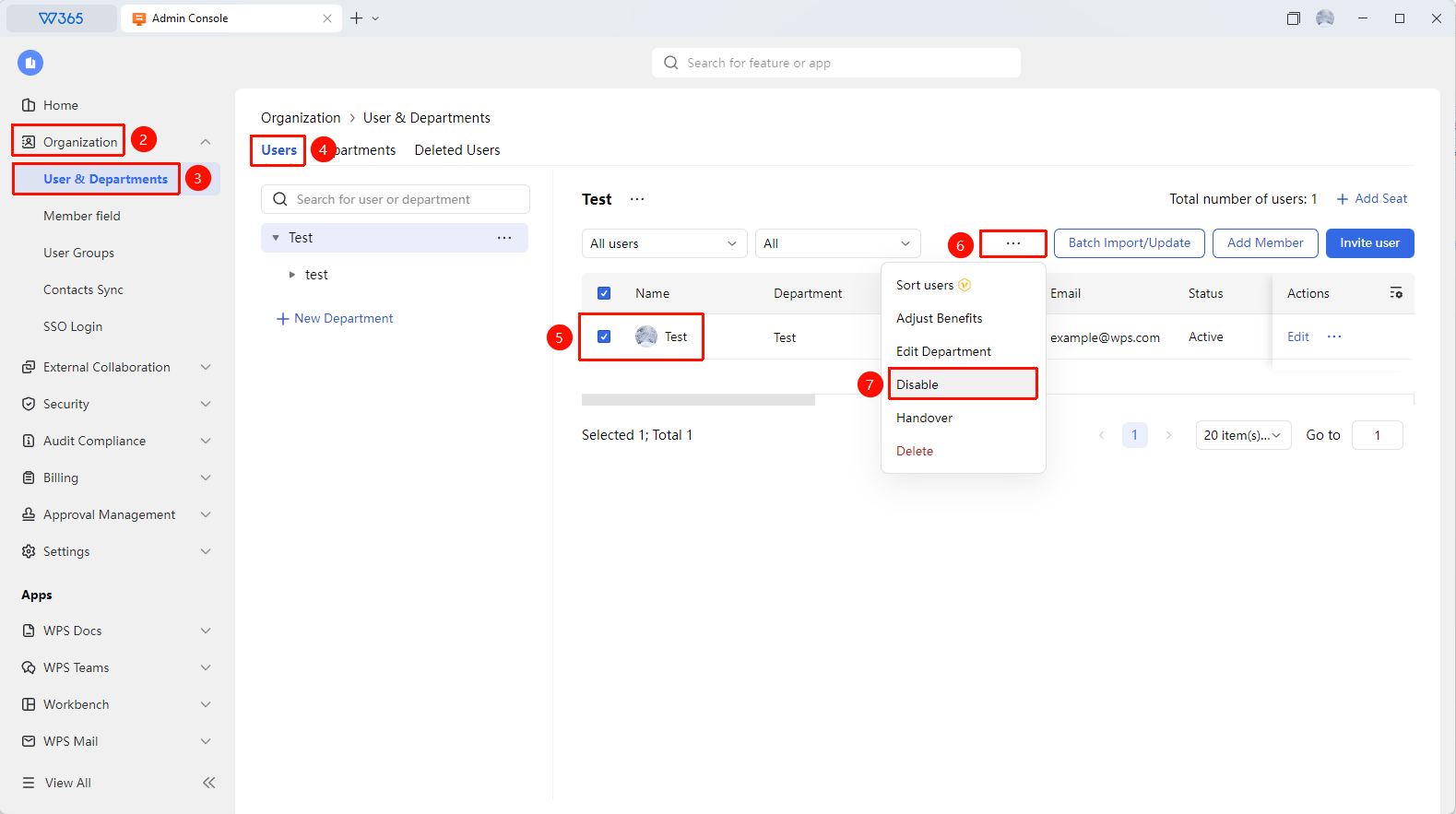
- Open the WPS 365 client and click Office Document in the lower-left corner of the client homepage
- Click 「Contacts」 in the left-side list
- Click 「Organizational Structure」 and find the target member in the member list
- Click the 「Disable」 button at the top of the page
- Click 「Confirm」 in the confirmation dialog that appears
- After being disabled, the member cannot sign in to WPS 365, but their member information and document data are retained

FAQ
Q1: What is the difference between disabling a member and deleting a member?
- Solution: Disabling temporarily suspends the account, retaining all member information and document data, and can be restored at any time; deleting permanently removes the member, processing the account and data together. It is recommended to use disabling for short-term absences and deletion for departures.
Q2: Can a disabled member still access organization documents?
- Solution: No. After being disabled, the member cannot sign in to WPS 365, and therefore cannot access any organization documents. However, the documents themselves are not deleted, and other members can still access and edit them normally.
Q3: Does a disabled member still occupy an organization seat?
- Solution: Yes. Disabled members still occupy the organization's member seats and benefit quotas. If you need to release a seat, it is recommended to delete the member directly.
Notes
- After disabling a member, their account information is retained and can be enabled at any time
- Disabling does not affect the organization documents already created by the member
- During the disabling period, the member cannot receive organization notifications and collaboration invitations